AI-ready brand guidelines: how to keep Firefly, Figma and Canva on-brand//
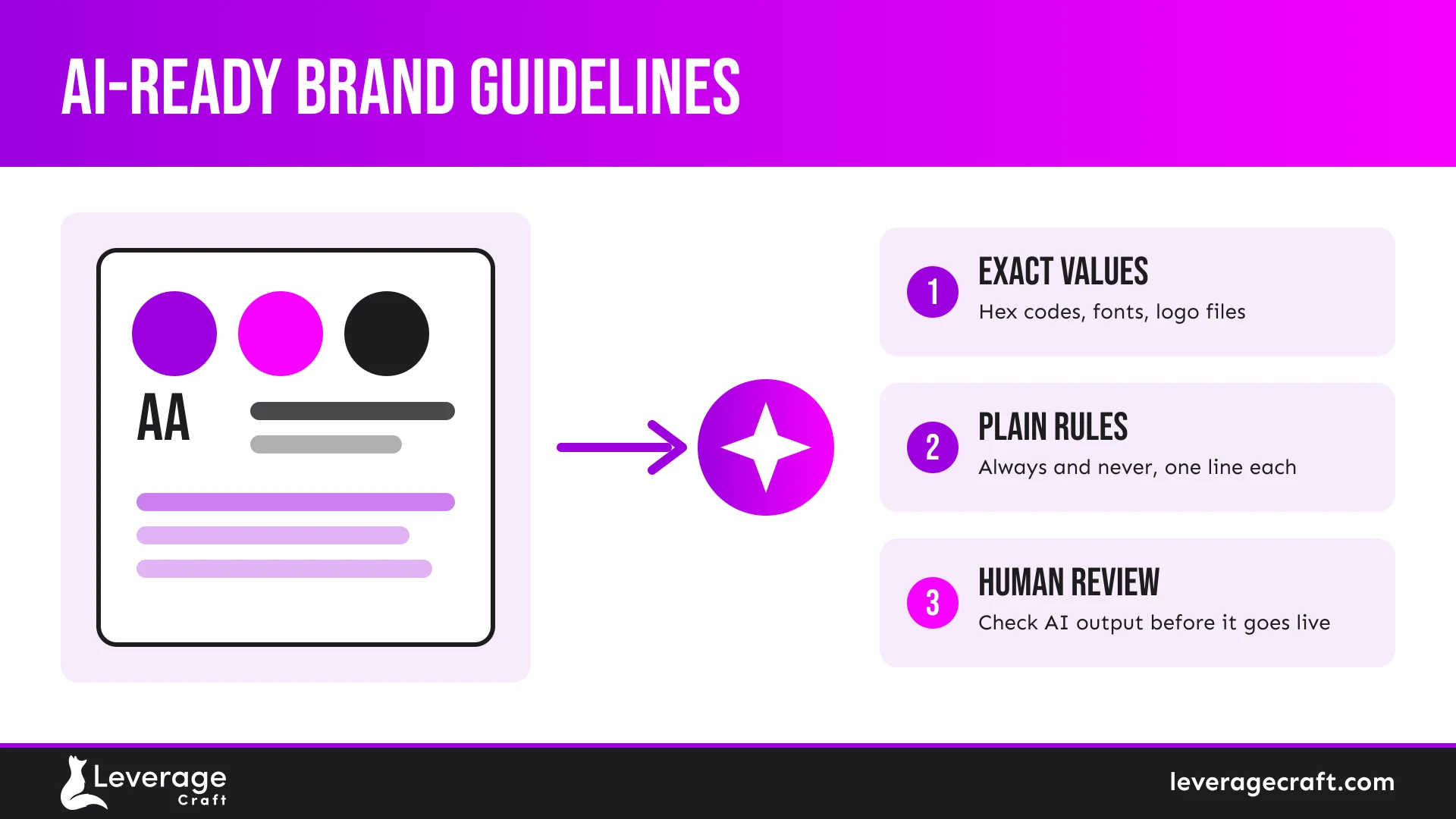
AI-ready brand guidelines are your colours, fonts, logo rules and tone of voice written so that AI tools can read and follow them, not just people. In November 2026, Adobe Firefly, Figma and Canva all added features that pull your brand straight into AI work. If your rules are clear and machine-friendly, those tools stay on-brand; if they live in a vague PDF, the output drifts.
What changed in November 2026//
Adobe used its MAX conference on November 10, 2026 to turn Firefly into what it calls an AI creative studio. The Firefly AI Assistant (still in beta) can now extract a brand from a brand guideline PDF, generate images with it and check new images against it. It also remembers your saved preferences and has a Plan mode, so you can review what the agent will do before it starts.
Figma took a similar route. Library owners can attach written guidelines files to a published design library, and the Figma agent reads them automatically whenever someone designs with that library. Figma's own advice is to write down the rules, the exceptions and the common mistakes, so the agent does not have to guess.
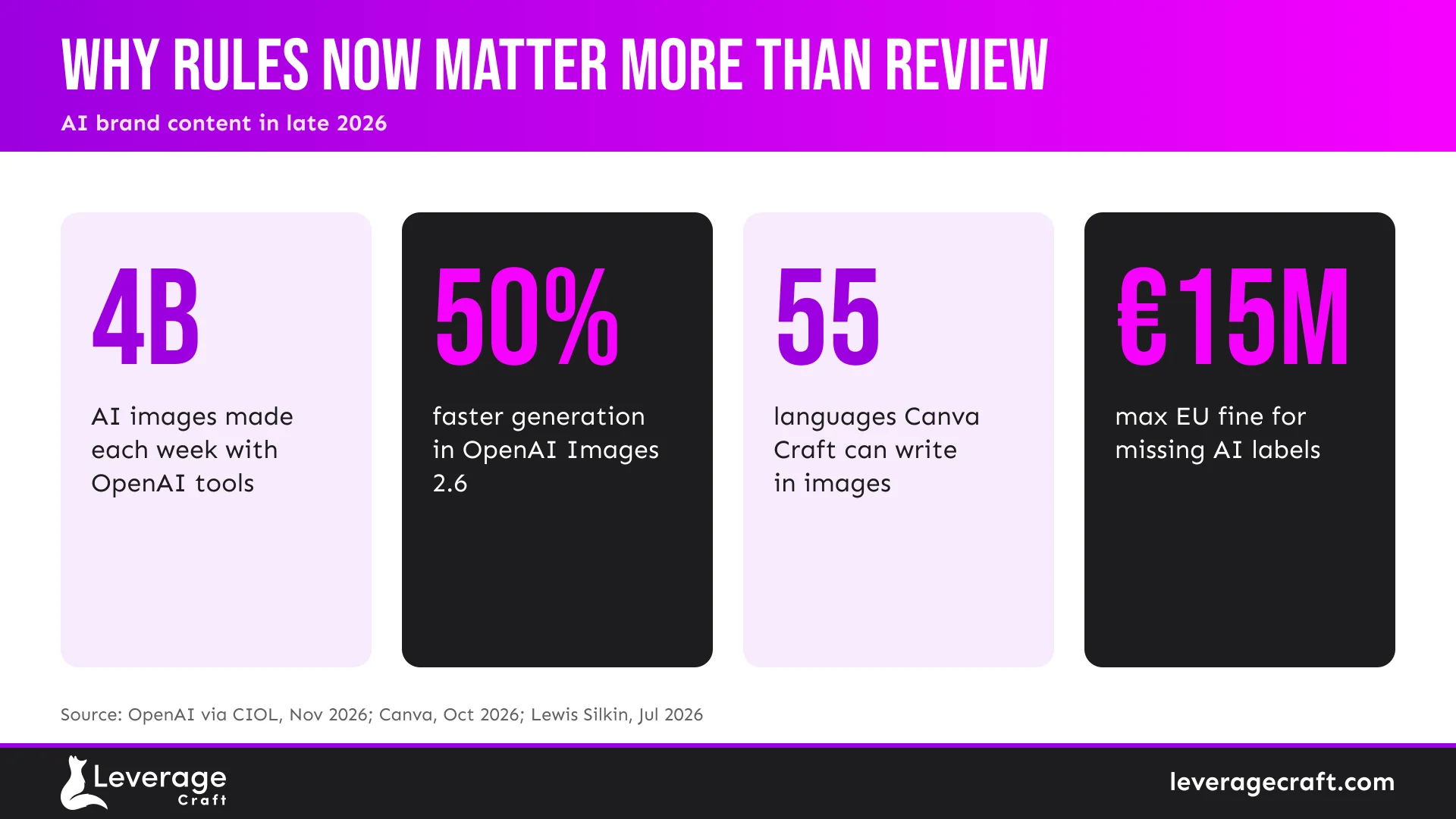
Canva launched Craft, its first in-house image model, which plans layout and text before it draws, so lettering comes out readable. On November 19, 2026 Canva also added a switch that turns generative AI features off, while tools like Background Remover keep working. Meanwhile OpenAI's Images 2.6, released on November 4, 2026, added SVG export and edits you can target by marking an area.
• Firefly: brands extracted from guideline PDFs, plus on-brand checks (beta). • Figma: guidelines files that the agent reads with your library. • Canva: Craft for readable text in images, and an AI on/off switch. • OpenAI Images 2.6: faster generation, SVG export and marked-area edits.
Why a PDF brand book is not enough anymore//
A classic brand book is written for a designer who can read between the lines. It says things like 'use our purple boldly' and trusts a person to understand. An AI tool cannot ask what 'boldly' means, so it fills the gap with something generic.
The scale has changed too. OpenAI says people now create about 4 billion images a week across ChatGPT, Codex and its API. When content is produced that fast, nobody can review every piece by hand, so the rules themselves have to do more of the work.
Industry writers at CMSWire make the same point: brand kits and slide decks were built for designers, while AI agents need explicit rules and structured values. The good news is that you do not need an enterprise system to get there. A small business can do most of it in a day.
How to make your brand guidelines AI-ready//
Start with the things a machine can copy exactly. These are often called design tokens, which simply means named values such as 'brand-purple = #9C00DF' or 'heading font = Bebas Neue'. Exact values leave no room for guessing.
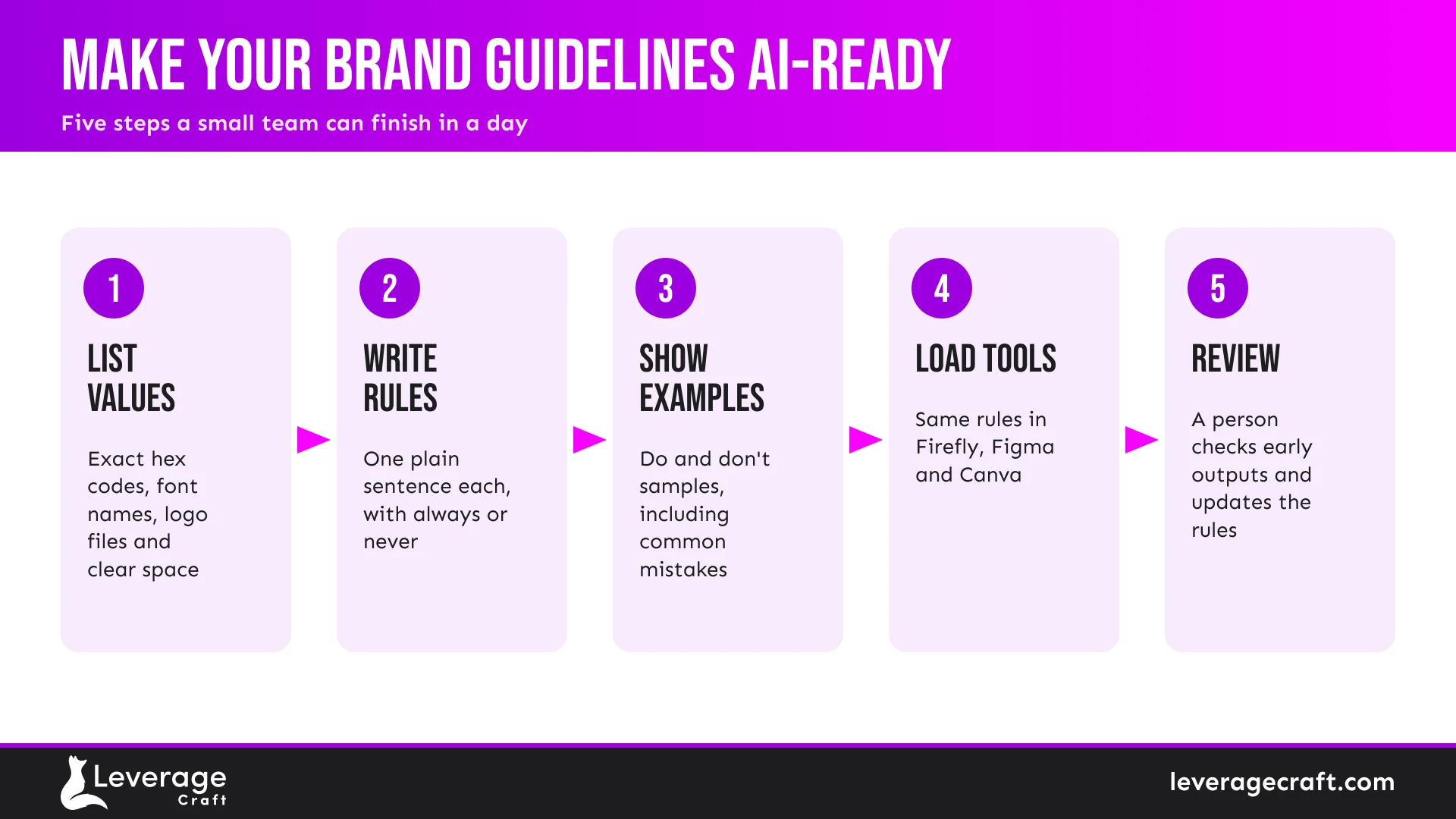
1. List exact values: hex codes for every colour, font names and sizes, logo files and clear space. 2. Write each rule as one plain sentence, with 'always' or 'never' where it matters. 3. Add do and don't examples, including the mistakes you see most often. 4. Load the same rules into every tool you use: Firefly brands, your Figma library guidelines and your Canva Brand Kit. 5. Review the first outputs with a person and update the rules wherever the tool got it wrong.
Keep one master version and copy it into each tool from there. If three tools hold three slightly different palettes, AI will happily spread all three.
Write rules a machine can actually follow//
Good AI rules are short, specific and testable. 'Do not use red for decoration; red is only for warnings and delete buttons' works far better than 'use red carefully'. Figma used a very similar example when it announced library guidelines in October 2026.
Think about the questions a junior designer would ask you, such as which logo goes on dark backgrounds or which photo styles are off-limits. Each answer becomes one line in your guidelines.
• Name the file to use, not just the idea: 'logo-white.svg on dark backgrounds'. • Give numbers instead of adjectives: 'minimum logo width 120 px'. • Say what never changes, such as your logo shape and product colours. • Show two or three real examples of on-brand work for the tool to follow.
For visual style, reference images help a lot. Recraft, for example, recommends building a saved style from your logo and a few approved images, then locking the palette to your exact hex codes so new images stop guessing.
Keep a human in charge//
New features make it easier to stay in control, so use them. Firefly's Plan mode lets you approve the agent's plan first, and its brand check flags work that breaks your rules. Small Business Trends also reminds owners to check AI output for wrong visuals and off-brand details before anything goes live.
If you sell into Europe, labelling matters as well: since August 2, 2026, the EU AI Act requires clear labels on realistic AI content that could pass as real. Law firm Lewis Silkin notes that a simple AI backdrop is usually fine, but making a product look better than it is may need a label. This is general information, not legal advice, so check your own case with a lawyer.
What this means for your business//
AI tools are now good enough to produce real marketing work, but only as good as the brand rules you feed them. A clear, machine-friendly guideline is the cheapest way to make every new tool work for your brand instead of against it.
• Collect your exact colours, fonts and logo files in one shared folder this week. • Rewrite your top ten brand rules as short 'always' and 'never' sentences. • Load them into the AI tools your team already uses, then test five outputs. • Decide who signs off AI-made content before it is published.
If your brand rules are thin or your logo files are a mess, it is worth fixing the foundation first with a brand identity refresh or a tidy logo design system. For the wider picture of AI in branding, read our guide to AI-powered branding in 2026.
AI can save your team hours every week, as long as it knows exactly what your brand looks and sounds like. If you would like help turning your brand book into rules that both people and AI can follow, the LeverageCraft team is happy to look at what you have and suggest a simple plan.
FREQUENTLY ASKED QUESTIONS//
What are AI-ready brand guidelines?
They are your normal brand rules rewritten so a machine can follow them without guessing. That means exact hex codes, font names, logo file names and short always-or-never rules, plus a few examples of good and bad work. People still read the full brand book; AI tools get the precise version, loaded straight into tools like Firefly, Figma and Canva.
Can Adobe Firefly read my brand guideline PDF?
Yes, in beta. Since November 2026, the Firefly AI Assistant can extract a brand from a brand guideline PDF, use it to generate on-brand images and check new images against it. Results depend on how clear your PDF is, so exact colour codes, font names and simple rules give the assistant much better material to work with.
Do I need design tokens for a small business?
You do not need a technical system, but the idea helps. A design token is just a named value, like brand-purple equals #9C00DF. Writing your colours, fonts and spacing this way removes guesswork for both AI tools and freelancers. A simple one-page list in a shared folder is enough to start, and it takes an afternoon.
Can I turn off AI in Canva?
Yes. Since November 19, 2026, Canva has a setting that turns generative AI features off, and a second one that reduces AI-made images in your library. Free and Pro users can both use them. Some tools, such as Background Remover and Magic Grab, stay available because they edit your existing image rather than generating new content.
Do I have to label AI-generated images?
If you reach customers in the EU, the AI Act has required clear labels on realistic AI content that could pass as real since August 2, 2026. A simple AI background is usually fine, but making a product look better than it really is may need a label. This is general information, not legal advice, so check your own situation.
SOURCES//
- Adobe Firefly Expands as the AI Creative Studio, Adobe, 2026-11-10
- What's new in Adobe Firefly (November 2026), Adobe Help Center, 2026-11-10
- Adobe brings AI agents and new creative tools to Photoshop, Premiere, and Firefly, TechCrunch, 2026-11-10
- Adobe expands Firefly with AI agents and new creative tools, Small Business Trends, 2026-11-10
- Canva will let users switch off most generative AI, Engadget, 2026-11-19
- Introducing Canva Craft, Canva, 2026-10-22
- How to put your design system to work with the Figma agent, Figma, 2026-10-15
- Figma Gives AI Agents a Rulebook With Specs and Code Layers, Tenet, 2026-10-15
- OpenAI Images 2.6 Brings GIF Creation and 50% Faster Generation, CIOL, 2026-11-05
- AI Image and Video News: Fall 2026, Everypixel Journal, 2026-11-10
- Can Your Brand Standards Be Read by Humans and Agents Alike?, CMSWire, 2026-09-29
- From Logo to Full Brand Kit, Recraft, 2026-09-01
- The new AI labelling rules for deployers in the advertising supply chain, Lewis Silkin, 2026-07-31
RELATED ARTICLES//
The Importance of Brand Identity Design in 2025
Discover why a strong brand identity is crucial for business success and how it influences customer perception, loyalty, and market positioning.
Logo Design Best Practices: Creating Timeless Brand Marks
Master the fundamentals of effective logo design with proven principles that create memorable, versatile, and timeless brand marks.
Website Design Trends Shaping 2025
Explore the latest website design trends, from AI-powered personalization to immersive 3D experiences, and learn how to implement them effectively.